Help your clients build with AI, and stay close while they do

Ropemate puts you, your client and Claude in one shared studio. Your client asks for changes in their own words and sees them right away, and you're there for the parts where your experience matters.
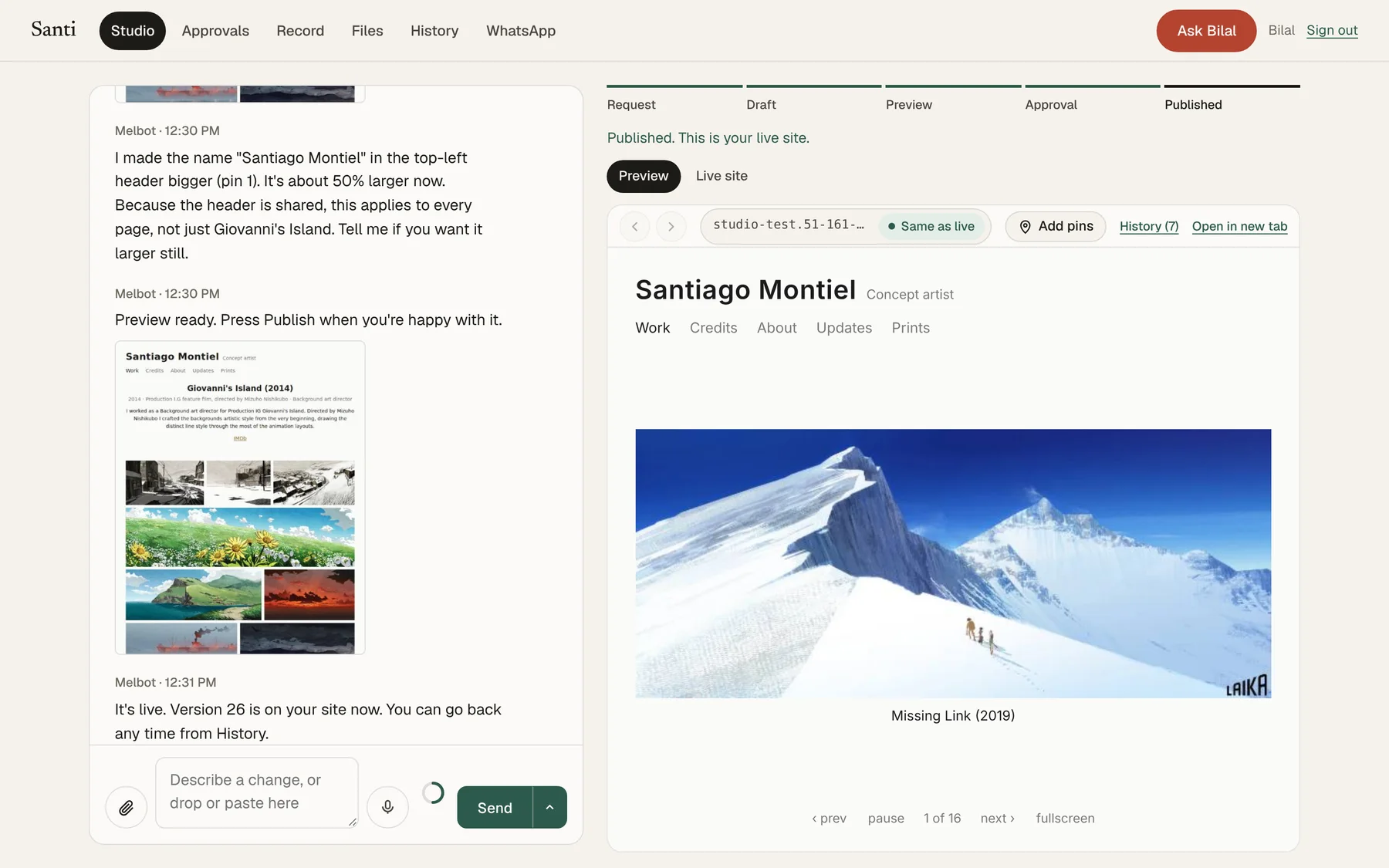
Ropemate studio
The Ropemate studio: a shared chat on the left where the assistant says the new version is live, and a preview of an artist's portfolio on the right.

A real project in the studio. The chat is on the left and the live preview of the site is on the right.

Your client makes it theirs, and you never lose sight of it

Everyday changes happen in plain words, by typing or speaking, and each one shows up as a preview first. You can follow along, step in when it helps, and trust that nothing is ever lost.
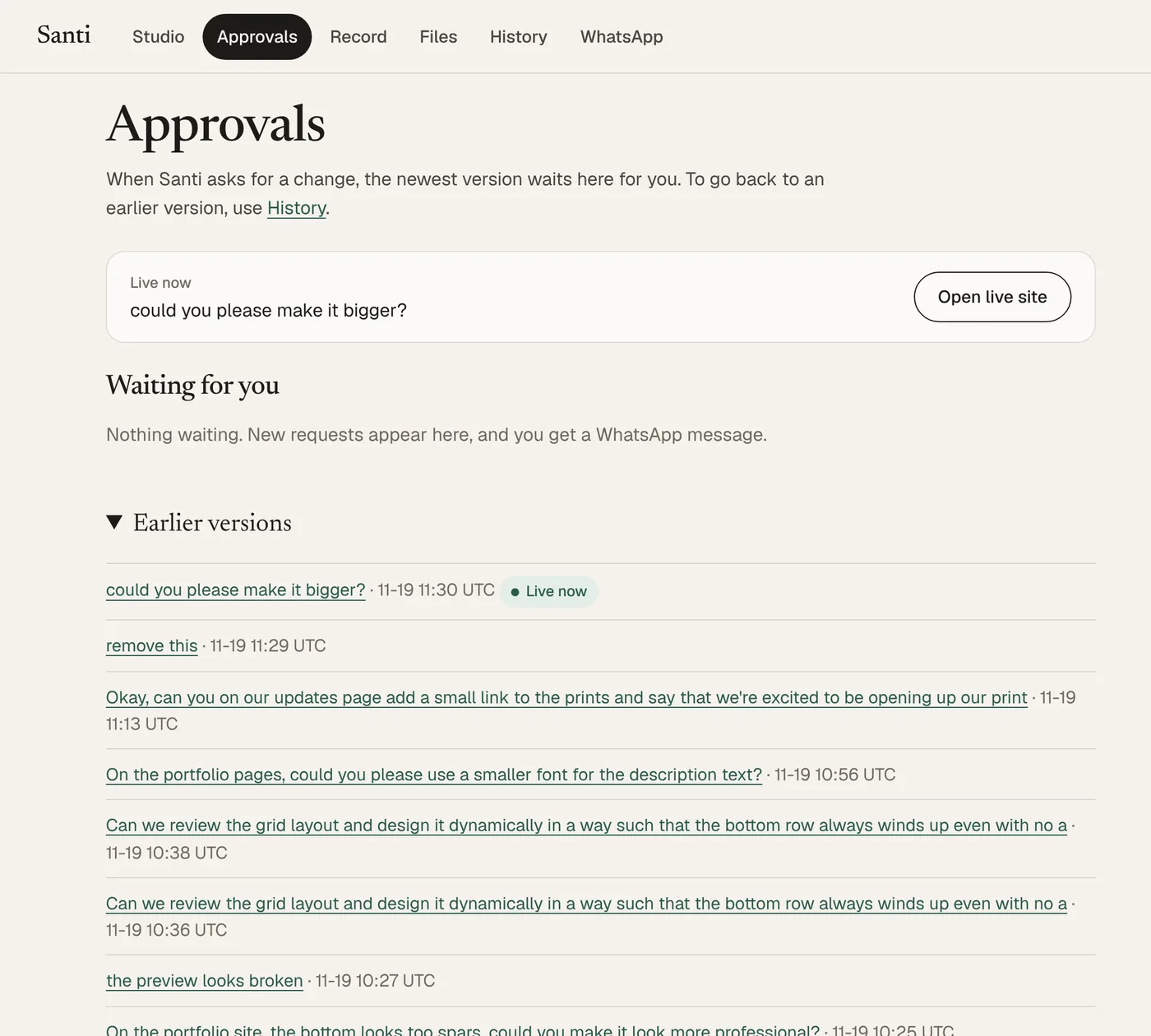
A list of requests in the client's own words, with times, and the live one marked.

You see every request

Each request and the version it made lands in one place, in your client's own words, and you can get a WhatsApp message when something new comes in.
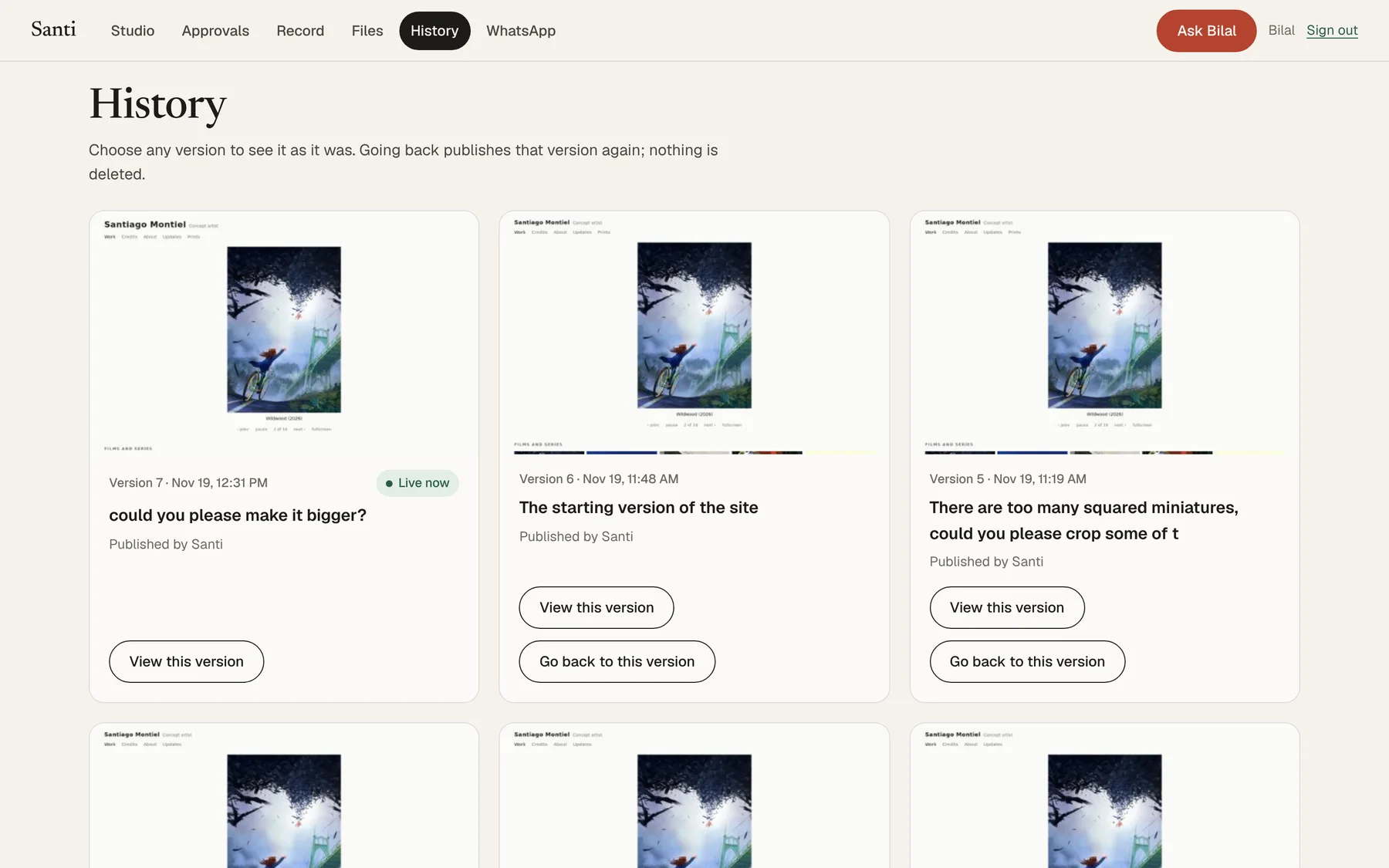
The history page, with a picture of each published version and a Go back button.

Going back takes one click

The studio keeps every published version, so if something breaks either of you can bring the earlier one back. This is what makes people brave enough to try things.
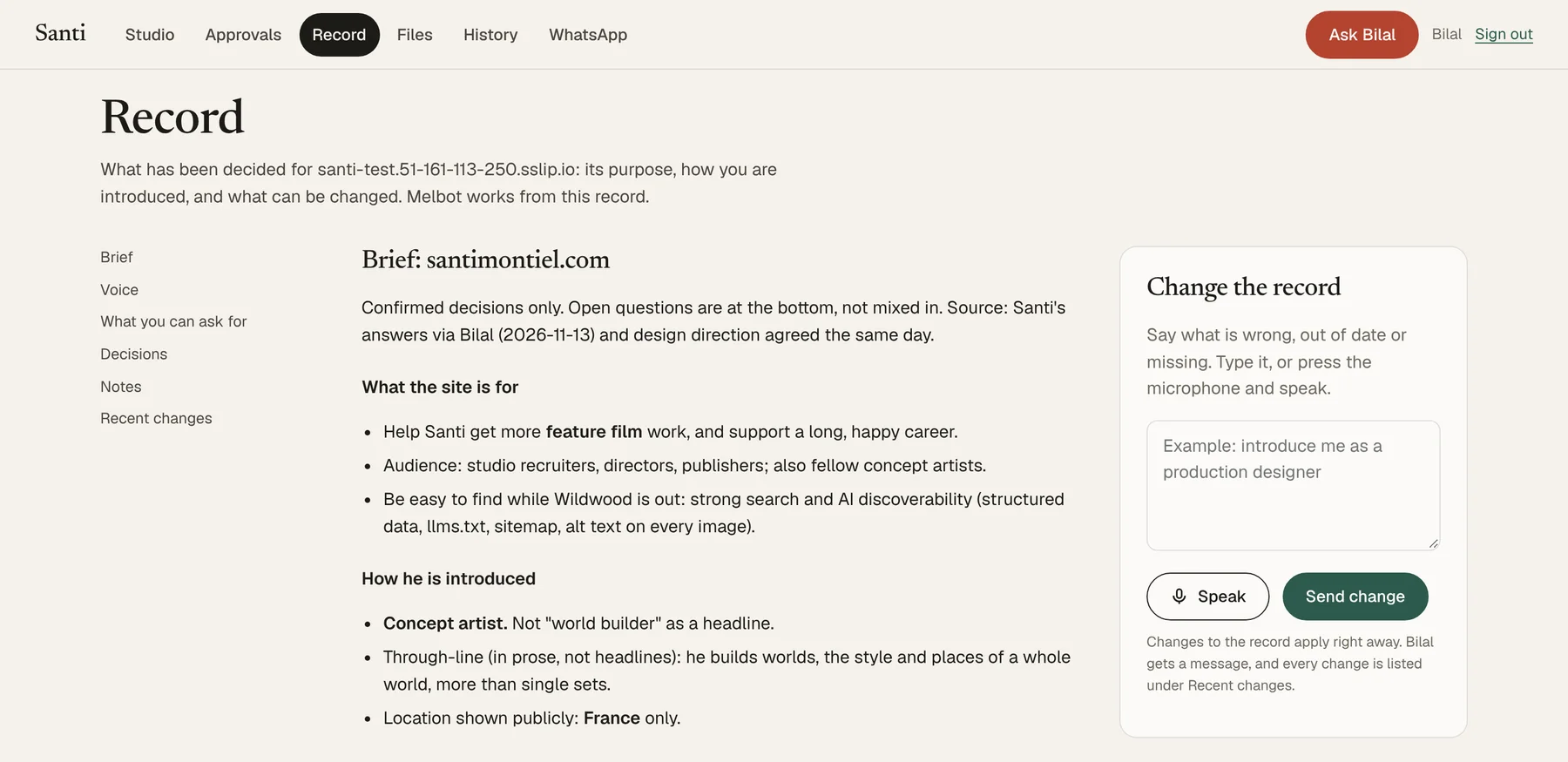
The record: what the site is for, who it is for and how the client is introduced.

It remembers what you agreed

A short shared record says what the site is for and how your client wants to come across. The assistant reads it before every change, and private files stay private until your client says otherwise.
See every step, with real screenshots

Who it's for

For people who help other people make things

AI is changing how websites and small tools get made, and your clients can now do a lot more on their own. They still need someone to help them choose what matters, look over a change and find a way through the tricky parts, and Ropemate gives you a place to do exactly that, with each client in their own project.

  • Independent designersBuild the first version with your client, then let them keep it fresh while you look after the design.
  • Developers and makersHand over the everyday edits and keep your time for new features and harder problems.
  • Small studiosRun many client projects side by side, each with its own preview, history and record.
A simple way to start

Begin with one person and one project

Think of someone you could help make something, a portfolio, a small shop or a tool for their team, and we'll set it up together.

1

Agree on a first version

Sit down with your client, talk through what the site is for, and build the first version together in the studio.

2

Give them room

Your client makes the everyday changes themselves, by typing, speaking or sending a WhatsApp message, and publishes when they're happy.

3

Stay close

Agree how you'll stay involved, whether that's a regular review, help with a new feature or a call when they press the button that brings you in.

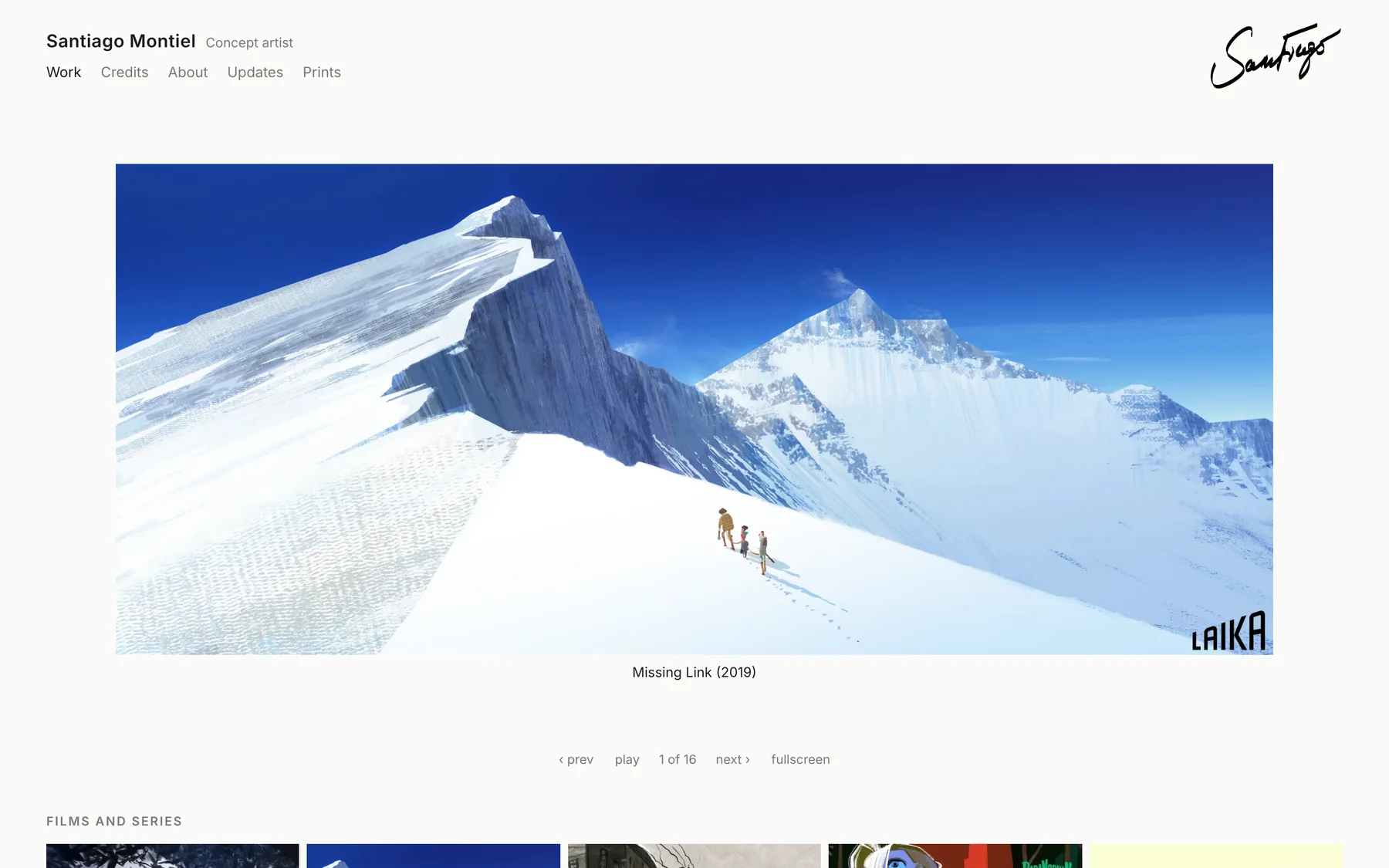
The first Ropemate site
Santiago Montiel's portfolio, opening on a mountain painting from Missing Link (2019).
Where it started

It began with one artist's website

Bilal helped his neighbour Santiago make a webpage to share his art, and they set it up together in a little studio Bilal had been building. Santiago now shapes the site himself, one request at a time, and Bilal joins when something needs a second pair of eyes. Ropemate grew out of that, so that more people can help someone make something of their own.

Have a look at Santiago's site

Questions

A few good questions before you start

Does my client need to know how to code?

No. They ask for changes in their own words, by typing or speaking, and Claude does the coding. They see each change as a preview before anything goes live.

Who owns the site?

Your client does. They publish their own changes and can go back to any earlier version, and you're told what changed without having to approve every step.

What happens if something goes wrong?

Every published version is kept, so either of you can press Go back and the earlier version is live again. Your client can also press a button that calls you in.

Can my client use it from their phone?

Yes. The assistant is on WhatsApp too, so they can send a few photos and a line of text from wherever they are, and the change still shows up as a preview first.

What does it cost?

We're starting with a small number of first projects and working out pricing together with the people running them, so if you'd like to be one of them, get in touch.

Have someone in mind you could help?

We'd love to set up a first project with you, walk you through the studio live and help you shape an offer you feel good about.

Plan a first project